What Is an Enterprise AI Agent Platform? (And Why Your Business Needs One in 2026)
Most companies using AI today are still at the chatbot stage. They have a tool that answers questions, summarizes documents, or drafts emails. It is useful. It saves some time. And it is nowhere near what AI can actually do for an organization.
There is a significant difference between *using* AI and *deploying AI infrastructure*. The first means adding a smart assistant to your workflow. The second means building an intelligent layer across your entire organization - one that connects your data, executes decisions, automates complex processes, and scales across every department simultaneously.
That second thing is what an enterprise AI agent platform makes possible. This guide explains exactly what it is, how it works, what it can do, and how to evaluate one when you are ready to move beyond the chatbot stage.
What Is an AI Agent?
Before defining the platform, it helps to be precise about what an agent actually is - because the term gets used loosely.
An AI agent is software that perceives inputs from its environment, reasons over those inputs using a language model, takes actions based on that reasoning, and adjusts its behavior based on outcomes. It is not a chatbot. The distinction matters more than it might seem.
A chatbot is reactive and scripted. It waits for a question, matches it to a pattern or passes it to a model, and returns a response. It does not take actions in the world. It does not remember what it did last Tuesday. It does not decide to go check your Salesforce data before answering. It responds, and then it stops.
An agent is autonomous and goal-directed. Give it a goal - "generate the weekly pipeline health report and send it to the sales leadership team every Monday at 7am" - and it figures out how to accomplish that goal on its own. It queries your CRM, pulls the numbers, writes the narrative, formats the output, and sends the email. It does this without being asked each time. And if the data source changes or an API call fails, it handles the exception and tries again.
The practical difference is the difference between a calculator and an analyst. One answers when you ask. The other works while you sleep.
What Is an Enterprise AI Agent Platform?
An enterprise AI agent platform is the infrastructure layer that lets organizations build, deploy, connect, and govern AI agents at scale - across multiple departments, data sources, and use cases - without requiring a machine learning engineering team to do it.
Think of it as the operating system for your AI workforce. Just as a cloud platform gives you the infrastructure to run applications without managing physical servers, an AI agent platform gives you the infrastructure to run intelligent agents without building the underlying model infrastructure yourself.
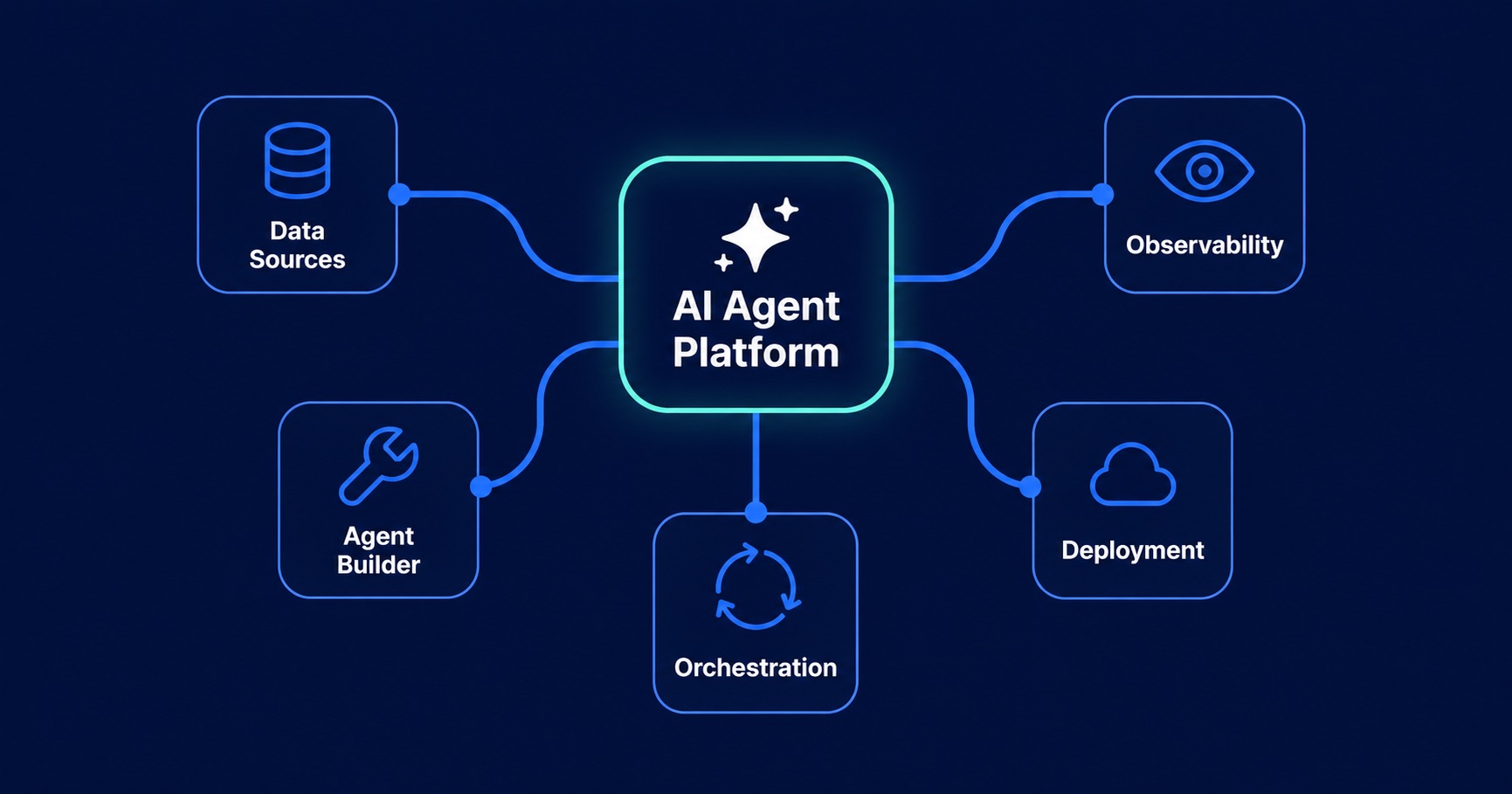
A mature platform has four core components working together:
Data connectivity is the foundation. An agent is only as useful as the data it can access. A well-built platform connects to your existing stack - databases like PostgreSQL and Snowflake, SaaS tools like Salesforce and HubSpot, communication platforms like Slack and Teams, document stores like Google Drive and SharePoint, and custom APIs - and indexes that data so agents can retrieve relevant context in real time. Without deep data connectivity, you have an agent that can reason but cannot act on anything that actually matters to your business.
The agent builder is where you define what each agent does. This includes its role and objective, the tools and data sources it has access to, the actions it is permitted to take, and the guardrails that define what it cannot do and when it should escalate to a human. Good agent builders offer both a no-code visual interface for business users and an API for developers who want to build programmatically. The best ones let non-technical teams configure and deploy agents without opening a ticket with engineering.
The orchestration engine is what makes multi-agent systems possible. Complex enterprise workflows rarely fit inside a single agent. A board report, for example, might require one agent to pull financial data, a second to retrieve market context, a third to write the narrative, and a fourth to review it for factual accuracy before it goes out. The orchestration engine manages the handoffs between agents, maintains shared context across the workflow, handles errors and retries, and ensures the output arrives at the right place at the right time. Without orchestration, you have isolated agents. With it, you have an intelligent workforce.
Observability is what makes enterprise deployment possible rather than just technically interesting. Every agent decision, data retrieval, tool call, and workflow execution needs to be logged, monitored, and auditable. When a regulated industry requires you to explain why an AI system made a particular recommendation, the answer needs to be in a log somewhere. When an agent starts producing unexpected outputs at 2am, someone needs to be alerted. Observability is not a feature - it is the difference between a platform you can deploy in a regulated enterprise and one you cannot.
What Can Enterprise AI Agents Actually Do?
The use cases for enterprise AI agents span every department. Here are five concrete examples of what organizations are deploying today.
Finance: Automated KPI reporting
A finance intelligence agent connects to Snowflake for operational data and Salesforce for pipeline and revenue data. Every Monday morning, it runs the standard KPI queries, compares actuals against forecast, generates a plain-language narrative summary highlighting variances and trends, and emails the finished report to finance leadership and the executive team. What previously took a financial analyst three to four hours every week now takes four minutes and runs without anyone asking. The analyst's time shifts from data assembly to analysis and decision-making.
HR: Employee query handling
Large organizations field thousands of internal HR queries every month - questions about leave policies, payroll, onboarding checklists, benefits, and compliance procedures. An HR agent connected to Workday and the company's internal policy documents handles these queries instantly, at any hour, with accurate and up-to-date information. For queries that require a human decision - a disciplinary matter, a sensitive accommodation request - the agent recognizes the boundary and routes the conversation to the right HR team member with full context already summarized.
Sales: Pipeline intelligence
A sales intelligence agent monitors your CRM continuously, watching for signals that deals are at risk - no activity in 14 days, a champion contact who has gone quiet, a competitor mention in a recent call transcript. When it detects a risk pattern, it surfaces the insight directly in Slack to the relevant account executive, with the supporting data and a suggested next action. The sales team stops spending time manually reviewing pipeline and starts spending time acting on the deals most likely to slip.
Operations: Automated incident routing
When a production incident is logged in Jira, an operations agent reads the ticket, classifies the severity and type, identifies the on-call engineer based on current rotation data, cross-references similar past incidents for resolution context, and posts a structured summary in the relevant Slack channel - all within 90 seconds of the ticket being opened. Response times that used to depend on someone manually triaging an inbox now happen automatically, at any time of day.
Legal: Contract clause review
A legal agent processes uploaded contracts and automatically flags non-standard clauses, missing required provisions, and terms that deviate from the company's approved playbook. It produces a structured review summary with clause-by-clause annotations before a human lawyer sees the document. Legal teams that previously spent hours on initial contract review now spend that time on the substantive issues the agent has already surfaced. Review throughput increases without adding headcount.
What to Look For When Evaluating Platforms
The enterprise AI platform market is crowded and the marketing language is nearly identical across vendors. Every platform claims to be secure, scalable, and easy to deploy. Here are the six criteria that actually separate good platforms from the rest.
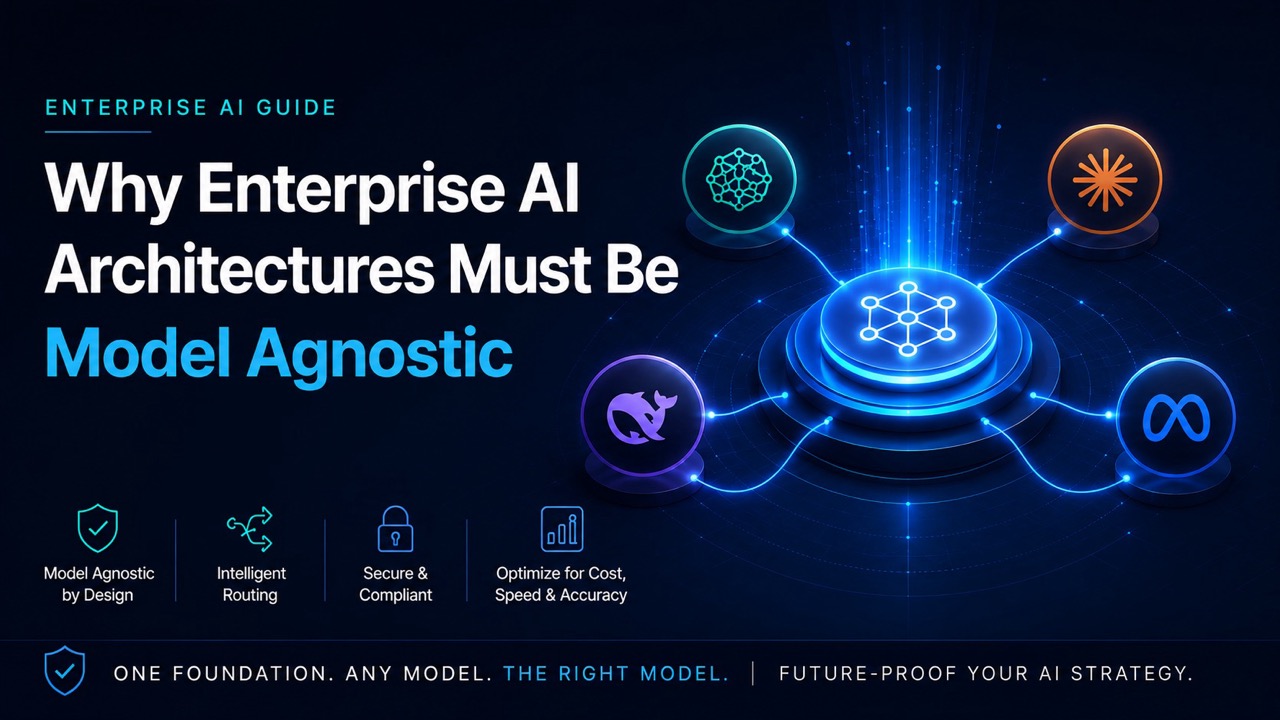
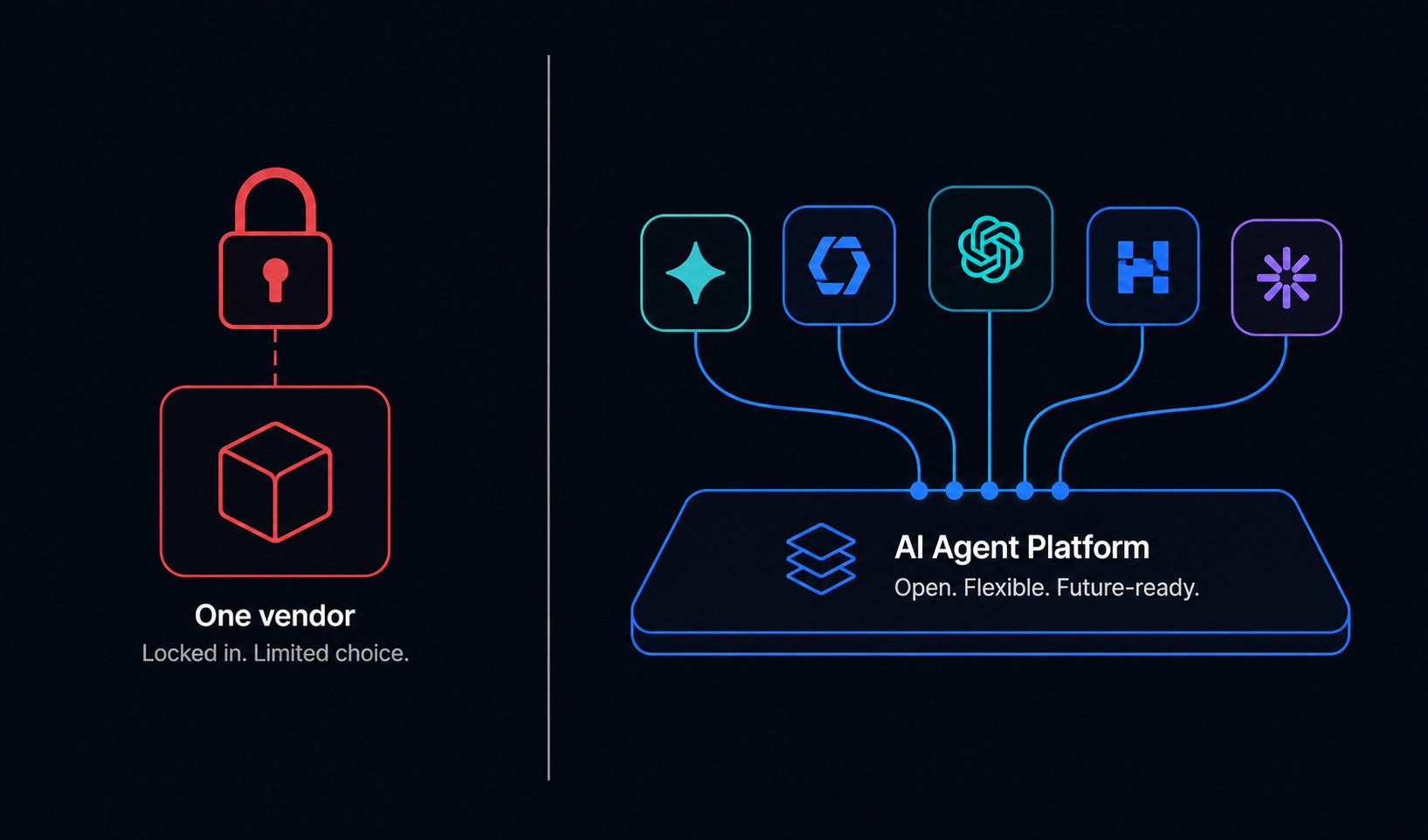
LLM flexibility. This is the most important criterion and the most commonly overlooked. Many platforms are built on a single model provider - Azure OpenAI, or a proprietary model - which means your entire AI infrastructure is dependent on one vendor's pricing, performance, and roadmap decisions. The model landscape is moving too fast to bet on one horse for the next five years. Look for a platform that lets you switch between model providers - OpenAI, Anthropic, Google, Meta, Mistral, and others - without rebuilding your workflows. LLM-agnosticism is not a nice-to-have. It is an architectural requirement for any enterprise making a long-term platform commitment.
Data connector breadth. Count the native integrations and look closely at which tools are included. A platform that connects to Salesforce but not Snowflake, or Slack but not SharePoint, will create gaps that require custom engineering to fill. Prioritize platforms with 50+ production-ready connectors covering your actual stack - CRM, data warehouses, cloud storage, communication tools, HR systems, and dev tools.
Deployment options. Cloud-only platforms are a deal-breaker for organizations with data sovereignty requirements, regulated data types, or security policies that prevent sensitive data from leaving their own infrastructure. Check whether the platform supports private cloud deployment in your AWS VPC, Azure VNet, or Google project, and whether on-premise or air-gapped deployment is available. If the vendor cannot answer this question clearly, assume cloud-only.
Security and compliance posture. For enterprise procurement, you will need documented evidence of SOC2 Type II certification, GDPR compliance controls, and HIPAA readiness if you operate in healthcare. Look for zero-trust architecture, end-to-end encryption for data in transit and at rest, role-based access controls, and a clear policy on whether your data is used to train any external models. That last point is more important than most vendors make it seem.
Time to first agent. The platforms with the strongest enterprise sales pitches are not always the fastest to deploy. Ask specifically: what is the average time from contract signing to a live agent in production? A number over four weeks for an initial deployment suggests significant implementation complexity that will slow your organization's ability to iterate. The best platforms get non-technical users to a running agent in under an hour.
Observability and audit trails. Ask to see the observability dashboard before you sign anything. Can you see every tool call an agent made and why? Can you replay a workflow execution step by step? Are all agent actions logged with timestamps and the context that drove them? Can you set alerts for anomalous behavior? If the answer to any of these is no or unclear, the platform is not enterprise-ready regardless of what the sales deck says.
Common Mistakes Enterprises Make
Understanding what not to do is as useful as knowing what to look for. Three mistakes come up repeatedly in enterprise AI platform deployments that stall or fail.
Buying a platform before defining a use case. The RFP goes out, the demos happen, a vendor is selected, and then the organization spends three months trying to figure out what to actually build. This is backwards. The right process starts with identifying two or three specific workflows that are high-volume, data-dependent, currently manual, and have a measurable baseline you can compare against. Define those use cases first. Then evaluate which platform makes them easiest to deploy. A platform that is perfect for your top three use cases is worth far more than the platform that scored highest on a generic feature checklist.
Treating it as an IT project instead of a business transformation. AI agent platforms that succeed have a business owner - a head of finance, a VP of operations, a chief of staff - who is accountable for outcomes, not just a technical lead responsible for deployment. When the project lives entirely in IT, it optimizes for technical correctness. When it has a business owner, it optimizes for business impact. The difference in outcome is significant. Every successful enterprise AI deployment has a senior business stakeholder who cares about the result, not just the infrastructure.
Underestimating the integration layer. The demo works perfectly because it uses clean, well-structured sample data connected to a handful of pre-configured systems. Your actual enterprise data is messier, lives in more places, has more access controls, and will require more integration work than the vendor's implementation estimate suggests. Budget for two to three times the integration effort the sales team quotes. Organizations that plan for this come in on time. Organizations that do not spend the first month discovering why the demo environment does not reflect reality.
Ready to see this in action?
Book a 30-minute demo with the RHA OneAI team.